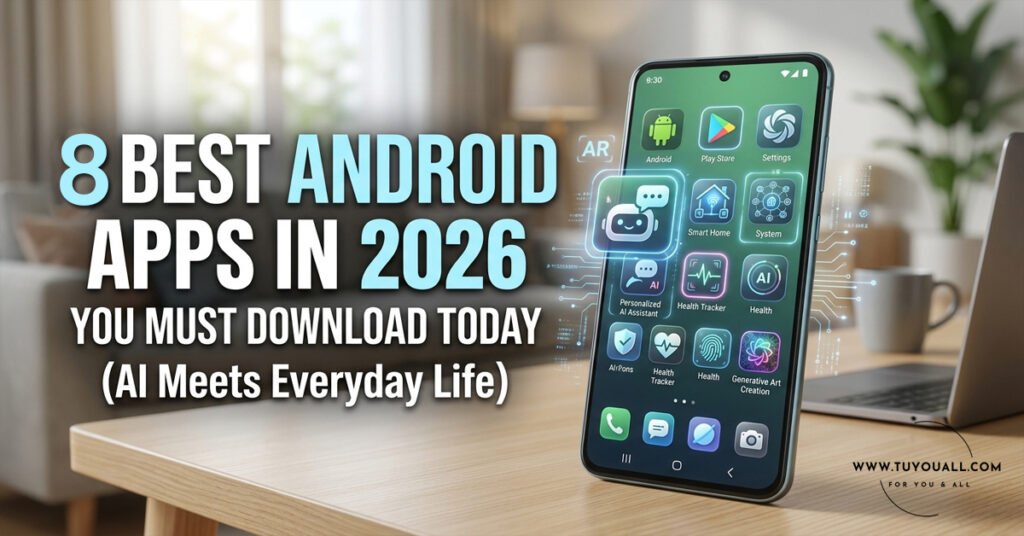
Discover 8 Must-Have Android Apps 2026! From AI Organizers To Privacy Browsers And Offline AI Models, Upgrade Your Smartphone Today.
Is your phone cluttered with apps that promise everything but deliver nothing? You are not alone. Most of us waste hours jumping between bookmark folders, single-use calculators, and browsers that leak our data. Therefore, we need a smarter approach.
We test hundreds of apps so you do not have to. After deep testing, these eight best Android apps 2026 brought to the Play Store stood out. Each one replaces multiple old apps. Furthermore, they add features you did not know you needed. Let us dive in.
1. Albo – The Smart Bookmark Organizer You Didn’t Know You Needed
What Makes Albo Different?
You watch Reels, read articles, and browse videos all day. However, your bookmarks live in ten different apps. Albo solves this mess. It saves and organizes everything in one place.
The app uses AI to understand context. “Albo does a lot of things for you!” —Trakin Tech. Instead of dumping a link into a folder, Albo reads the content. Then it categorizes items automatically.
Real-World Example: Saving a Biryani Recipe
For example:
you are scrolling Instagram and find a Biryani Reel. You save it in Albo. The app does not just store the link. It categorizes the content under “Food,” extracts the recipe, and adds cooking context. Later, you find it instantly without remembering which app you used.
Best of all, Albo is completely free. You can keep all your important phone activities in one dashboard. That is why it tops our list of best Android apps 2026.
2. WhisperFlow – Speak Naturally, Text Instantly
Indian Language Support That Actually Works
Voice-to-text is not new. Your phone already has it. However, WhisperFlow does it with shocking accuracy. It supports Indian languages like Hindi, Malayalam, Tamil, Telugu, and Bengali.
“Whatever you say, it takes it out. And it gives a very clean text output.” —Trakin Tech. The app runs on just 55MB of RAM. That is lighter than most photo filters.
Why We Use It for Meetings
We personally use WhisperFlow to transcribe meetings. It handles English plus over 100 languages. The output is clean, punctuated, and ready to share. If you dictate notes, write messages, or record interviews, this voice to text Indian languages tool saves hours every week.
[Download WhisperFlow – Play Store]
3. OmniTools – One App to Replace a Dozen
What’s Inside the 60MB Powerhouse?
Because of modern lightweight coding trends, developers now build powerful utility suites. One of them is OmniTools. It packs 50+ essential utilities into a 60MB package.
Inside, you will find:
- Calculator
- Unit Converter
- Translator
- Battery saver tools
- Productivity suite
The “No Ads, No Freemium” Promise
OmniTools is completely free. There are no ads. There is no freemium upsell. It is very clean. You get 50 different utilities in one app. Therefore, it easily replaces 10–12 standalone apps on your phone. That saves storage, RAM, and your sanity.
[Download OmniTools – Play Store]
4. Sarvam (Indus) – India’s Voice-First AI Assistant
Talk in Hindi, Tamil, Telugu & More
Sarvam is not for everyone, but we should be proud of it. It is an indigenously built AI model from India. Indus by Sarvam is just a 50MB app. However, it competes with global giants.
It supports 11 Indian languages. You can talk naturally in Hindi, English, Tamil, and many other Indian languages. Then it replies in the same language. No other Indian local language model works as smoothly as Sarvam.
Why Local Language AI Matters
This LLM model is voice-first. You speak in natural Indian languages. It interacts back instantly. For users who struggle with English-only chatbots, Sarvam removes that barrier. It proves that AI Android apps can truly feel local.
Sarvam shows that the best Android apps 2026 are not just imports. India is building world-class AI too.
[Download Sarvam – Play Store]
5. Google AI Edge Gallery – AI Without Internet
How On-Device AI Protects Your Privacy
Google released an experimental app called AI Edge Gallery. It is only 13–30MB. However, it downloads local AI models directly onto your phone. These are fully offline AI models Android users have been waiting for.
There are 5–6 different research preview models inside. They run without sending your data to the cloud.
Best Use Cases for Offline AI
If your phone loses internet connection, you can still use Google AI Edge Gallery. You get on-device AI or ML for writing help, coding questions, or creative tasks. It is perfect for travelers, privacy seekers, or anyone with spotty Wi-Fi.
[Download Google AI Edge Gallery – Play Store]
6. Comet – The Browser That Works Like Your Employee
What Is “Agentic” Browsing?
Perplexity released a browser called Comet. It is an agentic browser. But what does that mean?
Normal browsers show you websites. Agentic browsers do the work for you. “It’s like an employee or an agent. You just tell it one thing and it’ll do everything by itself.” —Trakin Tech.
Example: Finding the Cheapest Power Bank
For example: you want the cheapest 5000mAh power bank on Flipkart. You type one prompt into Comet. The browser then opens Flipkart, searches options, compares prices, checks star ratings, and brings back the best pick. It completes multiple steps autonomously with a single prompt. That is agentic AI in action.
Comet redefines what best Android apps 2026 can do. It turns your browser into a personal assistant.
7. Oola – Zoho’s Privacy Fortress
Profiles That Don’t Mix
If privacy matters to you, try Oola. Zoho built this browser on Chromium. However, it adds a privacy skin you will not find elsewhere.
Oola offers different profiles and modes:
- Personal – Your data stays locked down.
- Work – Professional browsing stays separate.
- Developer – Tools and testing in isolation.
- Open Season – Standard browsing when you do not need protection.
Zero Tolerance for Ad Trackers
Most of us use the same browser for everything. Work tabs mix with personal tabs. Trackers follow us everywhere. Oola changes this. You can switch modes from personal to work instantly. They do not mix.
Furthermore, Oola has zero tolerance toward advertising trackers. Advertisers use your data to show personalized ads. Oola completely blocks this behavior. For a privacy browser Android users can trust, Oola is excellent.
[Download Oola – Play Store]
8. Sky Cards – Flight Tracking Meets Gaming
For Aviation Enthusiasts and Curious Minds
You have probably heard of Flight Radar. Sky Cards takes that concept and gamifies it. No matter where you are, it shows your local flight area. You touch a plane icon. Instantly, you see exact details.
Gamification That Educates
Sky Cards tells you if a plane is rare or common. It shows flight duration and miles traveled. You can save special cards and earn coins. The UI is beautiful. The experience is fun.
If you are into aviation, or simply curious about the plane flying overhead, this app entertains and educates. It includes all the features of heavy flight radar apps. However, it wraps them in a very good UI with smooth gamification.
[Download Sky Cards – Play Store]
Quick Comparison: What Each App Replaces
| App | Size | Best For | Replaces |
| Albo | Lightweight | Bookmark & context AI | Instagram/YouTube saved collections, note apps |
| WhisperFlow | 55MB RAM | Voice-to-text | Native dictation, paid transcription services |
| OmniTools | 60MB | Daily utilities | Calculator, converter, translator, battery apps |
| Sarvam | 50MB | Indian language AI | ChatGPT for regional languages |
| Google AI Edge Gallery | 13–30MB | Offline AI | Cloud-based AI chatbots |
| Comet | Varies | Agentic browsing | Standard browsers + manual shopping research |
| Oola | Varies | Privacy browsing | Chrome, Edge (for privacy-focused users) |
| Sky Cards | Varies | Flight tracking | Flight Radar, aviation databases |
FAQ
Q1: Are these best Android apps 2026 completely free?
Most apps listed here are free. OmniTools and Albo have no ads and no freemium plans. However, always check the Play Store for the latest pricing before downloading.
Q2: Can I use these AI Android apps without internet?
Google AI Edge Gallery works fully offline after model download. Other apps like Sarvam and Comet need an internet connection for cloud processing. WhisperFlow may work offline depending on your device.
Q3: Is Oola better than Chrome for privacy?
Yes, if privacy is your top priority. Oola blocks advertising trackers by default. It also separates personal and work profiles. Chrome requires extensions and settings tweaks to match this level of control.
Q4: Which app is best for Indian language voice-to-text?
WhisperFlow and Sarvam both excel here. WhisperFlow is perfect for clean transcription in Hindi, Tamil, Telugu, Bengali, and Malayalam. Sarvam is ideal if you want a full AI conversation in local languages.
Q5: What is an agentic browser like Comet?
An agentic browser performs multi-step tasks from a single prompt. For example, it can search, compare, and recommend products without you clicking through multiple pages manually.
Final Thoughts
These eight best Android apps 2026 prove one thing. Your smartphone can be smarter, lighter, and more private. Albo organizes your digital life. WhisperFlow captures your words. OmniTools replaces clutter. Sarvam brings AI home to Indian languages. Google AI Edge Gallery keeps AI local. Comet browses for you. Oola locks down your data. Sky Cards turns the sky into a game.
You do not need 50 apps. You need the right eight. Pick two or three that solve your biggest daily frustration. Download them today. Then tell us: which app surprised you the most? Drop your answer in the comments and happy upgrading!