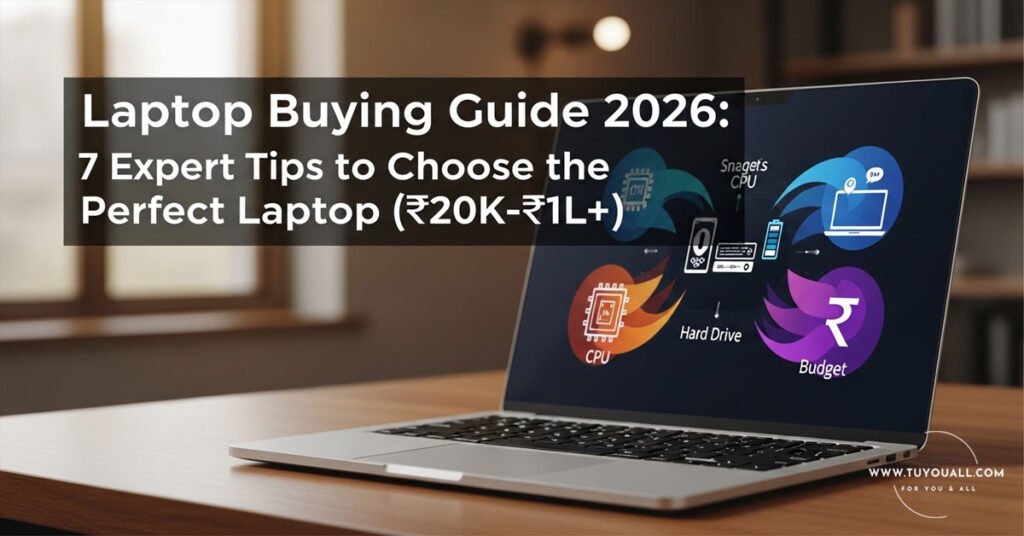
This blog post is based on insights from Manoj Saru‘s YouTube video: “How to Buy the Perfect Laptop in Any Budget (₹20K to ₹1L+) | Laptop Buying Guide 2026”
Introduction: Stop Buying the Wrong Laptop!
Have you ever bought a laptop only to regret it within months? Maybe it became frustratingly slow, couldn’t run your favorite games, or the battery died when you needed it most. You’re not alone.
Every day, thousands of people make expensive mistakes when buying laptops. They get confused by technical jargon, fall for marketing gimmicks, or simply don’t know what they actually need. The result? Wasted money and endless frustration.
But what if you could become your own laptop expert? What if you could walk into any store (or browse any website) and instantly know which laptop is perfect for your needs and budget?
In this comprehensive guide, I’m breaking down the entire laptop buying process into 7 simple pillars. Whether you have ₹20,000 or ₹1,00,000+, whether you need a machine for basic office work, heavy gaming, or professional video editing—by the end of this article, you’ll know exactly what to look for.
As the original creator wisely puts it: “Just like you can’t get mangoes, guavas, bananas, and potatoes all growing on the same tree, you can’t get everything in one laptop. First, decide your usage!”
1. Choose According to Your Usage (The Foundation)
Before you even look at prices or brands, answer this one critical question: What will you primarily use your laptop for?
Your usage determines everything else—processor, RAM, graphics card, and even screen size. Here’s a simple breakdown:
| Usage Type | Typical Activities | Budget Range |
| Basic/Entry-Level | Web browsing, MS Office, watching videos, emails | ₹20,000 – ₹35,000 |
| Medium/Student Use | Multitasking, light programming, occasional photo editing | ₹35,000 – ₹50,000 |
| Gaming | AAA games, streaming gameplay, high-performance tasks | ₹50,000 – ₹1,00,000+ |
| Professional Editing | Video editing (Premiere Pro), 3D rendering, graphic design | ₹70,000 – ₹1,50,000+ |
| Programming/Coding | Running IDEs, virtual machines, compiling code | ₹40,000 – ₹80,000 |
For Example: If you’re a college student who mainly needs to write assignments, make presentations, and watch Netflix, you don’t need to spend ₹80,000 on a gaming laptop. A ₹35,000 laptop with an Intel Core i3 or Ryzen 3 processor will serve you perfectly for 4-5 years.
Pro Tip: Be honest with yourself about your needs. Many people overspend on features they’ll never use, while others buy cheap and regret it when their laptop can’t handle their actual workload.
2. Display Size and Quality: Size Matters!
Once you know your usage, it’s time to think about the display. After all, you’ll be staring at this screen for hours every day.
Display Sizes Explained
Laptops generally come in three main sizes:
13-inch Laptops
- Best for: Frequent travelers, writers, students who carry their laptop daily
- Pros: Ultra-portable, lightweight (usually 1-1.3 kg), fits in small bags
- Cons: Smaller screen can strain eyes during long work sessions
14 to 15.6-inch Laptops
- Best for: Most users—this is the sweet spot!
- Pros: Perfect balance of portability and screen real estate, full-sized keyboards
- Cons: Slightly heavier (1.5-2 kg), but still manageable
- Note: This is the most popular category for a reason. As the creator mentions, “This size sells the most in the market.”
16 to 17-inch Laptops
- Best for: Video editors, gamers, designers who need screen space
- Pros: Immersive experience, better for multitasking with split screens
- Cons: Heavy (2.5+ kg), bulky to carry around
- Perfect for: “People who do editing or want to game—brother, they need a big screen, and the fun on a big screen is something else!”
Display Resolution: Don’t Compromise Here!
In 2026, display resolution is non-negotiable. Here’s what to avoid and what to embrace:
| Resolution | Status | Recommendation |
| HD (720p) | ❌ AVOID | “If you see ‘HD screen’ in a laptop’s specs in 2026—say goodbye to that laptop from a distance!” |
| Full HD (1080p) | ✅ MINIMUM | “At least go for Full HD+ in 2026.” This is your baseline for clear text, sharp videos, and comfortable viewing. |
| 2K (QHD) | ✅✅ GREAT | Ideal for content creators and professionals who need extra detail |
| 3K / 4K (UHD) | ✅✅✅ BEST | “If you get 4K resolution, that’s the best!” Perfect for high-end gaming and professional video editing |
Why Full HD Matters: Higher resolution means sharper text (easier on the eyes), better color accuracy for photos/videos, and an overall premium experience. Don’t let anyone sell you a 720p laptop in 2026!
3. Processor (CPU): The Brain of Your Laptop
“If the processor is the brain of any laptop, then choosing the right processor is as important as getting 33 marks to pass in school and college!”
The processor determines how fast your laptop thinks and works. Here’s how to decode the alphabet soup:
Intel vs. AMD: The Two Giants
You’ll mainly encounter two brands:
Intel Processors (Core Series)
- i3: Entry-level, basic tasks
- i5: Mid-range, balanced performance ⭐ Sweet spot for most users
- i7: High-performance, heavy multitasking
- i9: Extreme performance, professional workstations
AMD Processors (Ryzen Series)
- Ryzen 3: Entry-level, comparable to Intel i3
- Ryzen 5: Mid-range, excellent value ⭐ Sweet spot for most users
- Ryzen 7: High-performance, gaming and creation
- Ryzen 9: Enthusiast-grade, top-tier performance
How to Choose Based on Your Needs
| Your Usage | Intel Choice | AMD Choice | Why? |
| Basic browsing, Office | Core i3 (11th gen+) | Ryzen 3 (5000 series+) | Handles everyday tasks smoothly |
| Student work, multitasking | Core i5 (12th gen+) | Ryzen 5 (5000 series+) | Perfect balance of power and price |
| Gaming, video editing | Core i7 (12th gen+) | Ryzen 7 (6000 series+) | Handles heavy software without lag |
| Professional workstations | Core i9 | Ryzen 9 | Maximum power for 4K editing, 3D work |
For Example: If you’re buying a ₹35,000-₹40,000 laptop for college assignments, occasional Photoshop, and light gaming, an Intel Core i5 or AMD Ryzen 5 will keep you happy for years. Don’t go below these for a primary laptop in 2026!
4. Graphics Card (GPU): Do You Need Dedicated Graphics?
Here’s where many buyers get confused. Do you need a separate graphics card, or is integrated graphics enough?
Integrated vs. Dedicated Graphics
Integrated Graphics (Built into the processor)
- What it is: Graphics processing built into your CPU (Intel Iris Xe, AMD Radeon Graphics)
- Good for: Daily tasks, HD video playback, light photo editing, casual games like Minecraft or Among Us
- Found in: Laptops under ₹45,000
- Verdict: “For daily tasks, integrated graphics is considered enough.”
Dedicated Graphics Card (Separate GPU)
- What it is: A separate chip (NVIDIA GTX/RTX or AMD Radeon RX) just for graphics
- Good for: Gaming, video editing, 3D modeling, AI/ML work
- Found in: Gaming laptops and workstations (₹50,000+)
- Verdict: “If you want to game, are buying for editing, or need to do any high-graphics work, you should go with a laptop that has dedicated graphics.”
NVIDIA Graphics Card Guide
If you’re getting dedicated graphics, you’ll mostly see NVIDIA cards:
| Card Series | Best For | Performance Level |
| GTX 1650/1660 | Entry-level gaming, esports titles | Medium settings at 1080p |
| RTX 3050/3050 Ti | Budget gaming, light ray tracing | High settings at 1080p |
| RTX 3060/4060 | Serious gaming, content creation | High/Ultra settings, 1080p-1440p |
| RTX 4070/4080/4090 | 4K gaming, professional work | Maximum performance |
Important Note: Laptops with dedicated graphics are “generally slightly more expensive compared to normal laptops.” But if you need the power, it’s worth every rupee!
5. RAM: How Much Memory Do You Really Need?
RAM (Random Access Memory) is your laptop’s short-term memory. More RAM = more applications running smoothly at the same time.
The Golden Rules for 2026
“If any laptop has 4GB RAM in 2026, salute it from a distance!”
Here’s the breakdown:
| RAM Amount | Who Is It For? | Can You Upgrade? |
| 4GB | ❌ AVOID | Basically unusable for modern Windows |
| 8GB | ✅ Students, office workers, basic users | Minimum for 2026; sufficient for everyday tasks |
| 16GB | ✅✅ Gamers, programmers, video editors | Sweet spot for power users |
| 32GB | ✅✅✅ Professional editors, heavy multitaskers | Future-proof for demanding software |
Real-World Examples:
- 8GB RAM: Perfect for a student using Chrome (5-6 tabs), Microsoft Word, Spotify, and WhatsApp Desktop simultaneously.
- 16GB RAM: Ideal if you’re a programmer running Visual Studio Code, multiple browser tabs, Android Studio, and an emulator at the same time.
- 32GB RAM: Necessary if you’re editing 4K videos in Adobe Premiere Pro while running After Effects and Photoshop simultaneously.
The Smartphone Comparison: “Brother, even smartphones have 8GB RAM nowadays!” If your phone has more RAM than your laptop, you’re doing something wrong.
6. Storage: SSD vs. HDD – The Speed Difference
Storage is where your files, programs, and operating system live. But not all storage is created equal!
HDD (Hard Disk Drive) vs. SSD (Solid State Drive)
| Feature | HDD (Hard Disk) | SSD (Solid State) |
| Speed | Slow (100-150 MB/s) | Fast (500-7000 MB/s) |
| Boot Time | 30-60 seconds | 10-15 seconds |
| App Loading | Slow, noticeable lag | Instant, snappy |
| Durability | Moving parts, fragile | No moving parts, shock-resistant |
| Price | Cheaper per GB | More expensive per GB |
| Storage Amount | Usually 1TB+ | Usually 256GB-1TB |
| Noise | Audible spinning | Silent |
The Creator’s Advice:
- HDD: “If you do basic work, HDD is okay.” Good for storing movies, photos, and documents on a budget.
- SSD: “If you want better performance, smoothness, do editing, etc., then only select laptops with SSD storage.”
The Perfect Combo for 2026
Here’s the pro move: “Buy a laptop with at least 256GB or 512GB SSD, and separately buy an external hard disk for storage backup—it will be much cheaper!”
This way, you get:
- Speed: Windows and your programs run lightning-fast from the SSD
- Space: All your files, movies, and photos live on the cheaper external HDD
- Value: Best of both worlds without breaking the bank
Minimum Recommendation for 2026: At least a 256GB SSD. Don’t buy a laptop with only HDD in 2026 unless you’re on an extremely tight budget (under ₹25,000).
7. Battery Life: Don’t Get Tethered to a Wall!
Just like your phone’s battery dies at the worst moments, a laptop with poor battery life can ruin your productivity.
Battery Life Guidelines by Usage
| User Type | Minimum Battery Life | Ideal Battery Life |
| Basic home users | 5-6 hours | 7-8 hours |
| Students/Office workers | 8-10 hours | 10-12 hours |
| Premium/Expensive laptops | 9-10 hours | 12+ hours |
Why This Matters:
- Students: You need a laptop that lasts through 6-8 hours of classes without carrying a charger.
- Business travelers: Airport lounges don’t always have available plugs. 10+ hours is a lifesaver.
- Content creators: Even if you edit at a desk, good battery means you can work from a café or during power cuts.
Red Flag: Gaming laptops usually have poor battery life (3-4 hours) because dedicated graphics cards are power-hungry. If someone promises “10-hour battery” on a gaming laptop, be skeptical!
Quick Reference: Minimum Specs by Budget (2026)
To make your life easier, here’s a cheat sheet. Print this out or save it on your phone when you go laptop shopping!
₹20,000 – ₹30,000 Budget
- Processor: Intel Core i3 (11th gen+) or AMD Ryzen 3
- RAM: 8GB (non-negotiable)
- Storage: 256GB SSD minimum
- Display: 14″ or 15.6″ Full HD (1080p)
- Graphics: Integrated
- Battery: 5-6 hours
₹40,000 – ₹50,000 Budget (Best Value Zone!)
- Processor: Intel Core i5 (12th gen+) or AMD Ryzen 5
- RAM: 8GB (upgradeable to 16GB)
- Storage: 512GB SSD
- Display:6″ Full HD IPS
- Graphics: Integrated (Intel Iris Xe) or entry-level dedicated (MX550)
- Battery: 7-8 hours
₹70,000 – ₹1,00,000 Budget
- Processor: Intel Core i7 or AMD Ryzen 7
- RAM: 16GB
- Storage: 512GB SSD + 1TB HDD (or 1TB SSD)
- Display:6″ or 16″ Full HD/2K, high refresh rate (120Hz+)
- Graphics: NVIDIA RTX 3050/3060 or AMD Radeon RX 6600M
- Battery: 8-10 hours (non-gaming)
₹1,00,000+ Budget (Premium/Professional)
- Processor: Intel Core i7/i9 or AMD Ryzen 7/9 (latest gen)
- RAM: 16GB-32GB
- Storage: 1TB SSD (NVMe)
- Display:6″ or 16″ 2K/4K, color-accurate (100% sRGB)
- Graphics: NVIDIA RTX 4060/4070/4080
- Battery: 9-12 hours
Special Note for ₹1,00,000+ Buyers
“If your budget is above ₹1 lakh, I would recommend building a PC instead—you’ll get better performance for the same price!”
Why Consider a Desktop PC?
- Better performance: Same money buys more powerful components
- Upgradeability: Swap out GPU, RAM, or storage anytime
- Future-proof: Easy to upgrade parts as technology advances
- Value: No paying for battery, screen, or portability you don’t need
But if you absolutely need a laptop above ₹1 lakh, ensure it has at least the specs listed above. Look for gaming workstations or creator laptops from ASUS ROG, MSI, Dell XPS, or MacBook Pro (for Apple ecosystem users).
Frequently Asked Questions (FAQ)
Q1: Is 4GB RAM enough for a laptop in 2026?
No, absolutely not. Windows 11 itself uses 3-4GB RAM just to run. With 4GB, your laptop will be slow from day one. Minimum 8GB is essential for 2026.
Q2: Can I upgrade RAM and storage later?
It depends on the laptop. Many budget and mid-range laptops allow RAM upgrades (check for “extra RAM slot”) and have an extra M.2 slot for SSD expansion. However, ultrabooks and premium laptops often have soldered RAM that cannot be upgraded. Always check before buying!
Q3: Is Intel better or AMD for laptops?
Both are excellent in 2026. Intel typically has better single-core performance (good for gaming), while AMD often offers better battery life and multi-core performance (good for content creation) at similar prices. You can’t go wrong with either Ryzen 5 or Core i5.
Q4: What’s more important—processor or RAM?
For basic tasks, 8GB RAM with an i3 is better than 4GB RAM with an i7. For heavy tasks, you need both. Ideally, balance them: don’t pair a flagship processor with minimal RAM, or tons of RAM with a weak processor.
Q5: Should I buy a laptop online or offline?
Both have pros and cons. Online (Amazon, Flipkart) often has better discounts and return policies. Offline allows you to check the build quality, keyboard feel, and screen brightness in person. If buying offline, always check the exact model number—retailers sometimes sell older generation laptops at new prices!
Conclusion: You’re Now a Laptop Expert!
Congratulations! You’ve just learned what takes most people years of trial and error to figure out. Let’s quickly recap the 7 pillars:
- Define your usage first—everything else follows
- Choose display size based on portability needs (13″ for travel, 15.6″ for most, 17″ for creators)
- Minimum Full HD resolution—no HD screens in 2026!
- Processor: i5/Ryzen 5 for most, i7/Ryzen 7 for power users
- RAM: 8GB minimum, 16GB for gaming/editing, 32GB for pros
- Storage: SSD is mandatory—256GB minimum, 512GB ideal
- Battery: Match to your lifestyle (5-6h home, 8-10h students, 10h+ premium)
Remember, the perfect laptop isn’t the most expensive one—it’s the one that perfectly matches your specific needs and budget.
Before you go: What’s your biggest challenge when buying tech? Is it confusing specifications, pushy salespeople, or fear of making the wrong choice? Share your thoughts in the comments below, and let’s help each other make smarter purchases!
Source & Credit
This blog post is based on insights from Manoj Saru‘s YouTube video: “How to Buy the Perfect Laptop in Any Budget (₹20K to ₹1L+) | Laptop Buying Guide 2026”
The original content has been translated, expanded, and repurposed for educational purposes.