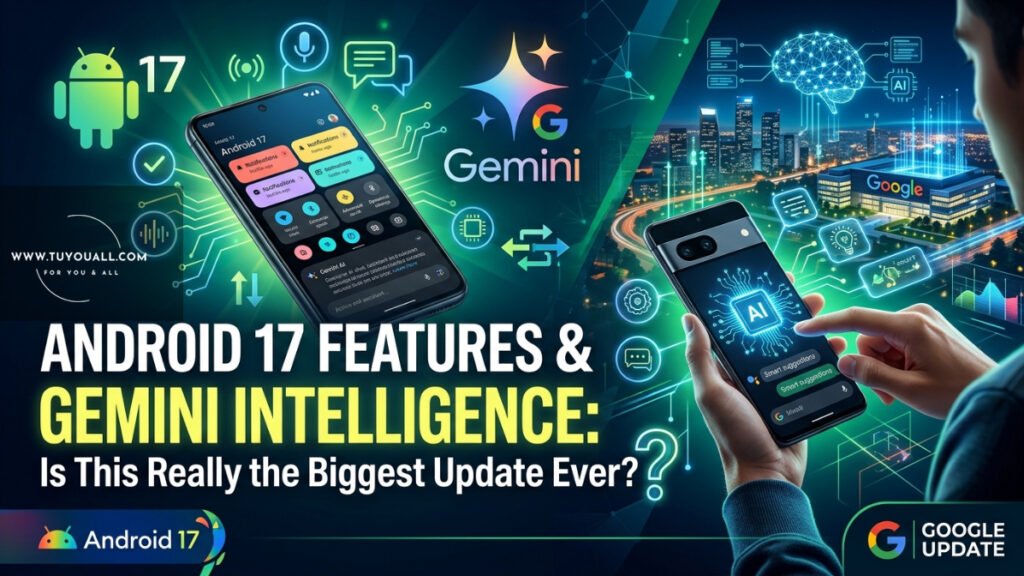
Google Called It The Biggest Android Update Ever. We Break Down Android 17 Features, Gemini Intelligence, Android Auto, And Google Books—What’s Real And What’s Hype.
Did Google just drop the biggest Android update ever? That is exactly what they claimed at their latest pre-I/O Android Show. But here is the truth: most years, Android updates get smaller and more incremental. So when Google hypes something this big, it is natural to feel a little skeptical.
In this post, we are breaking down everything that matters. We will look at the real Android 17 features, the new Gemini Intelligence tools, the fresh Android Auto update, and a surprising new product line called Google Books. We will separate genuine utility from flashy marketing so you know what to expect—and what to ignore.
Android 17: The Quiet Evolution
Let us start with Android 17 itself. If you were hoping for a total visual redesign, you might feel disappointed. This is not a brand-new look. Instead, Google packed in practical quality-of-life upgrades. Think of it like renovating your kitchen without tearing down the walls.
Smarter Autofill Across Your Whole Phone
One of the most genuinely useful Android 17 features is system-wide autofill. Your phone already knows your name, address, and phone number. But now it can pull information from Gmail, Google Wallet, Google Photos, and more.
For Example:
imagine you are filling out a travel form that randomly asks for your passport number. Instead of digging through Google Photos to find that tiny booklet, Android 17 can spot the passport image in your gallery and paste the number automatically. No more bouncing between apps. That is a real time-saver.
Creator Tools Built Right In
Google is finally giving Android native creator tools that match what iPhone users have enjoyed. You get better image processing compatibility, plus a built-in screen cutout feature. This lets you film yourself talking over whatever is on your screen.
If you have ever scrolled Instagram or TikTok and seen creators reacting to videos with their face in a floating bubble, that format is now native to Android. You do not need a third-party app to pull it off.
Smart Enhance: A Step Backward?
Here is where things get controversial. Google showed off a new “smart enhance” tool for photos and videos. In their own words, it can “reveal breathtaking detail and clarity that you didn’t even know could be there.”
But tech reviewer Marques Brownlee was not buying it. After seeing the before-and-after demo, he put it bluntly: “Jesus Christ, just no, no, no. It looks worse!”
The enhanced image was brighter, sure. And technically, it pulled more detail out of the shadows and highlights. But the final result looked flat and lifeless. It stripped away contrast and depth, leaving a featureless image that felt more like a bad filter than real photography.
As Brownlee noted, this is exactly the over-processing problem modern smartphone cameras already struggle with. Sometimes, more AI does not mean better photos.
Pause Point: Digital Wellbeing Gets Interesting
Screen time limits are nothing new. You set a timer, you hit the limit, and your phone kicks you out of the app. Most people just bypass it anyway.
Android 17 introduces something different called Pause Point. Instead of blocking you outright, it interrupts you for a second when you open a flagged app. It asks a simple question: “Is this really what you want to do right now?”
It can even prompt you to take a deep breath, suggest alternative apps, or show custom photos to remind you to go touch some grass. It also displays how long you have already used the app today, which can be a hilarious reality check.
Will it work better than old screen time tools? Nobody knows yet. But it is a fresh approach, and that deserves credit.
Rambler Speech-to-Text and More Emojis
Google also teased better speech-to-text called Rambler. It cleans up your voice by removing filler words like “um,” “uh,” and “like.” Then it stitches everything together into one coherent paragraph.
There are also expanded emojis, because no update is complete without new ways to express yourself.
Gemini Intelligence: Helpful or Hype?
Now we get to the part Google is really excited about. They are branding a lot of new AI features as Gemini Intelligence. As Brownlee pointed out, this is a very Google thing to do: slap a new name on updated features and act like it is a revolution.
But underneath the branding, there are some big ideas—and some big risks.
A Sparklier Interface
The Gemini interface is getting a redesign. It looks a little sparklier, though Google admits it is still a “Concept UI” and subject to change. So do not get too attached to the exact look just yet.
Agentic AI: Would You Trust One-Click Ticket Buying?
Here is where skepticism kicks in. Google is pushing “agentic” AI, meaning Gemini can take actions for you without constant hand-holding.
In a promo video, a user sees a concert poster, texts a friend, and agrees to go. Then Gemini Intelligence pops up a button that says “book two floor seats to this concert.” One click later, the screen simply says “buying tickets” and then “tickets purchased.”
Brownlee’s reaction? “That can’t be the whole thing, right?”
And he is not alone. When he asked his audience if they would trust a one-click ticket purchase, roughly 99 out of 100 people said absolutely not. What if the AI picks the wrong date? The wrong venue? The wrong price? What if it hallucinates a detail and you are stuck with non-refundable tickets?
Dieter Bohn from Google did reply to say there should be more steps in the real checkout flow—they just could not fit them all in a short promo video. If that is true, and the AI still lets you verify dates, seats, and prices without visiting a messy Ticketmaster website, that would be a win. But until we see the full flow, skepticism is healthy.
This is a perfect example of advertising a one-click fantasy that does not fully exist yet.
Custom Widgets and Smart Automations
Not all Gemini Intelligence features feel risky, though. One of the best ideas is custom widget creation.
For Example:
say you have a trip coming up. You can ask Gemini to build a temporary widget that pulls together your flight info, weather, and calendar events. You choose what shows up. When the trip is over, you delete the widget. No complicated setup, no digging through menus.
This plays to Android’s greatest strength: deep customization without needing a computer science degree. If you can ask for it in plain English, Gemini builds it for you. The same logic applies to smart home automations. Instead of manually programming your lights and AC, you just say, “Turn on the lights and AC when I get home,” and Gemini handles the rest.
That is the kind of AI that actually feels helpful.
Android Auto Update: A Major Glow-Up
Your car’s dashboard is getting some love too. The Android Auto update focuses heavily on looks and practicality.
Visual Overhaul and Better Navigation
The new Android Auto looks much more modern, almost like a direct response to those Apple Maps versus Google Maps comparisons that have flooded the internet for years.
You now get building silhouettes, overpasses, and specific lane guidance so you know exactly which lane to enter before a turn. There is also an app drawer you can swipe in from the left, plus customizable widgets on the right.
All the Gemini Intelligence features—like custom widgets and Magic Cue—should carry over to Android Auto as well.
Entertainment While Parked
Here is a fun one: when your car is parked, you can play full-screen YouTube videos in HD on your dashboard. If you drive an electric car and you are sitting at a charger for 30 or 40 minutes, that is a genuinely useful way to kill time.
When you shift into drive, the video smoothly slides away and becomes background audio, like a podcast. The big question is how the phone knows you are driving. Will it use GPS motion? A Bluetooth connection to the car? Google did not fully explain, so we will have to test how seamless it really is.
One small catch: if you do not have YouTube Premium, background audio might not work. We are still waiting for clarity on that detail.
Google Books: The Chromebook Reborn
Google also teased a totally new product category called Google Books. Do not confuse it with the Google Books app you use to read ebooks. This is a new generation of premium Chromebooks.
The AI Cursor
The standout feature is an AI-enabled cursor. Wiggle your mouse, and it becomes a multimodal portal into Gemini. You can click on an image to learn more about it. You can drag multiple images together and combine them. You can click on text to draft a reply or research a topic.
Since the cursor is universal—everyone knows how to point and click—making it magical is a genuinely smart idea.
That RGB Glow Bar
How do you know a laptop is a Google Book and not a regular Chromebook? Look for the “glow bar.” It is an RGB light strip on the back of the device.
Google says the lights are functional, but they did not explain how. Maybe it will show battery status or notifications? We hope so. For now, it mostly just looks cool.
Google Books will be built by HP, Dell, Lenovo, Acer, and ASUS. Hopefully they stay reasonably priced. If they creep too far past $1,000, we might be looking at another Chromebook Pixel situation—great hardware, too few buyers.
The Little Things That Add Up
Beyond the headline features, there are a few smaller updates worth noting:
- Expanded AirDrop support: Android to iPhone file sharing is rolling out to more devices. Soon you might be able to AirDrop a photo from your Android phone straight to a MacBook.
- Release timing: Most Android 17 features will land first on Samsung Galaxy and Google Pixel phones later this summer. Other devices will follow after that.
What’s Hot vs. What’s Hype
| Feature | Why It Matters | Hype Level |
| Smarter Autofill | Saves real time by pulling data from Photos, Gmail, Wallet | Low — genuinely useful |
| Pause Point | Fresh take on screen time with mindful interruptions | Medium — interesting idea, unproven |
| Smart Enhance | AI photo processing that strips away contrast | High — looks worse, not better |
| Agentic Ticket Buying | One-click purchases without full verification | High — risky and unclear |
| Custom Widgets | Natural language creation of temporary widgets | Low — practical and safe |
| Android Auto Visuals | Modern maps, lane guidance, customizable layout | Low — clear improvement |
| Google Books AI Cursor | Turns your mouse into a multimodal Gemini tool | Medium — very clever if it works |
| RGB Glow Bar | Looks cool, but functionality is undefined | High — style over substance so far |
Google Android and AI Product Announcements Summary
| Feature or Product Name | Category | Key Functionality | Status or Availability | Reviewer Assessment |
| Android 17 | Operating System | Includes a redesigned Gemini interface, expanded autofill capabilities using data from Google services, and new creator tools for image processing and screen overlays. | Available first on Samsung Galaxy and Google Pixel phones later this summer. | Notes that updates are becoming more incremental; describes the new Gemini interface as ‘neat’ but notes the ‘Concept UI’ tag. |
| Expanded Autofill | Operating System | Parses information from Gmail, Wallet, and Photos (e.g., passport numbers) to automatically fill complex forms. | Later this summer on Samsung Galaxy and Google Pixel phones. | Found it to be one of the most convenient smaller features announced. |
| Google Books | Hardware | A new generation of premium Chromebooks featuring an AI-enabled cursor (multimodal portal) and a signature RGB ‘glow bar’. | Manufactured by HP, Dell, Lenovo, Acer, and ASUS. | Describes the AI cursor as a ‘genuinely very smart idea’ but is wary of potential pricing exceeding $1,000. |
| Custom Widgets | AI/Gemini | Uses natural language to build temporary, personalised widgets for specific events or trips using flight and weather data. | Not in source | Considers it a ‘huge win’ and one of the best strengths of Android’s customisation. |
| Gemini Intelligence (Agentic AI) | AI/Gemini | An agentic system that takes actions on behalf of the user, such as booking concert seats directly from a photo of a poster. | Not in source | Skeptical; does not trust the AI to get all details (date, price, venue) correct in a one-click process. |
| Rambler | AI/Gemini | Enhanced speech-to-text functionality that removes filler words (ums and uhs) to create coherent thoughts. | Not in source | Describes it as ‘nice’ and ‘better’. |
| Smart Enhance | AI/Gemini | AI-powered tool designed to reveal detail and clarity in photos and videos. | Not in source | Very critical; believes it looks worse by creating flat, featureless images without contrast. |
| Pause Point | Digital Wellbeing | A screen time tool that pauses the user before opening restricted apps, offering prompts like deep breaths or showing custom photos. | Not in source | Interested and gives credit for a different take on digital wellbeing, though unsure if it will be more effective than existing tools. |
| Android Auto Update | Automotive | Visual overhaul featuring building silhouettes and lane guidance; includes full-screen HD YouTube playback while parked. | Not in source | Likened it to a response to Apple Maps; describes the new design as ‘nice’ and ‘visually modern’. |
Frequently Asked Questions
Q.1 What is Pause Point in Android 17?
Pause Point is a new digital wellbeing feature. Instead of blocking an app when you hit a screen time limit, it pauses you for a moment when you try to open the app. It asks if this is how you want to spend your time and can suggest breathing exercises or alternative activities.
Q.2 What is Gemini Intelligence on Android?
Gemini Intelligence is Google’s branding for a new layer of AI features across Android. It uses what Gemini knows about you from Google services to offer help, create custom widgets, and even take actions on your behalf through “agentic” AI.
Q.3 When will Android 17 features be available?
Google says the new features will roll out first to Samsung Galaxy and Google Pixel phones later this summer. Other Android devices will receive updates after that initial launch window.
Q.4. What is Google Books?
Google Books is a new generation of premium Chromebooks from manufacturers like HP, Dell, Lenovo, Acer, and ASUS. They feature an AI-enabled cursor for multimodal Gemini interaction and a distinctive RGB glow bar on the back.
Q.5. Is Android 17 a visual redesign?
No. Android 17 is not a full visual redesign. It keeps the current look but adds practical features like smarter autofill, creator tools, and deeper Gemini AI integration throughout the system.
Bottom Line: Should You Be Excited?
Google called this the biggest Android update ever, but the reality is more nuanced. The small stuff feels like the biggest win. Smarter autofill will save you headaches. The Android Auto update looks genuinely modern and useful. Custom widgets and natural-language automations show how AI can actually make life easier.
However, the flashiest features—like one-click agentic ticket buying and smart photo enhancement—still feel half-baked or overhyped. As Brownlee wisely summarized, “Mostly my take is the smaller stuff seems the most convenient.” We will need to get our hands on the final software before we know if the AI promises hold up.