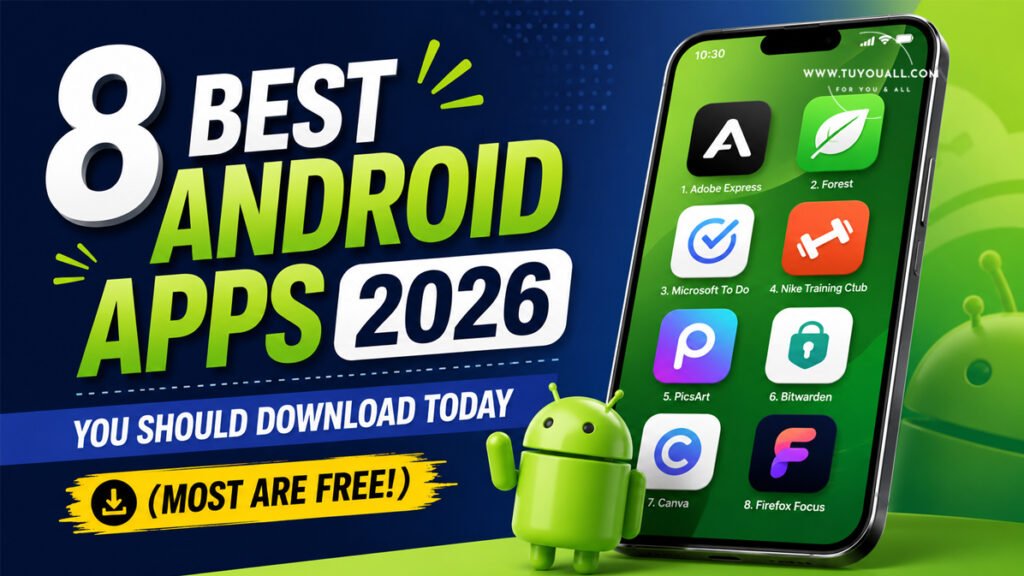
Discover 8 Must-Have Android Apps 2026! From AI Organizers To Offline AI And Privacy Browsers, These Free Tools Supercharge Your Phone.
Introduction: Is Your Phone Working Hard Enough for You?
How many apps do you have on your phone right now? Fifty? A hundred? More?
Here is the real question: how many of them do you actually use?
Most of us waste storage space on apps that promise a lot but deliver very little. That is why we tested hundreds of apps and narrowed the list down to just eight. Every single app on this list is amazing. Each one solves a real problem. And the best part? Most of them are completely free.
Whether you want to organize your bookmarks with AI, talk to your phone in Hindi, or browse the web without trackers, we have got you covered. These are the best Android apps in 2026 that deserve a spot on your home screen.
Let us dive into this curated collection of the best Android apps 2026 has to offer.
Why These Are the Best Android Apps in 2026
We did not pick these apps at random. We tested them. We compared them. And we asked one simple question: does this app make life easier?
Every app on this list passed that test. Some use artificial intelligence to save you time. Others protect your privacy. A few even work without internet. Together, they turn your phone into a smarter, faster, and safer tool.
If you are ready to upgrade your Android experience, keep reading. These are the best Android apps in 2026 you should install today.
1. Albo: Your AI-Powered Second Brain
Do you save reels on Instagram and videos on YouTube, only to forget them later? You are not alone. Most of us bookmark content across five different apps and never see it again.
Albo fixes this mess.
It is an AI-powered save-for-later app that pulls everything into one place. When you save a Biryani reel, Albo does not just store the link. It reads the content, categorizes it under “Food,” and even extracts the recipe for you. That is the magic of context-aware AI.
Why You Will Love Albo:
- One inbox for everything: Save links, reels, videos, and articles from any app.
- Smart categorization: AI automatically sorts your saves into topics like food, travel, tech, and more.
- Context extraction: It understands what you saved, not just where you saved it.
- Completely free: No hidden fees, no premium gates.
For example:
imagine you are scrolling Instagram at midnight and find a perfect pasta recipe. You save it in Albo. The next day, you open Albo and find that recipe neatly filed under “Recipes” with ingredients listed. No more digging through hundreds of saved reels.
“Albo does a lot of things for you… You can keep all the important things you do on your phone in 1 place.” —Trakin Tech
Bottom line: If your brain feels cluttered, let Albo be your external hard drive.
2. WhisperFlow: The Voice-to-Text App That Understands Indian Languages
Typing on a small screen is annoying. Voice typing helps, but most built-in tools struggle with Indian languages. They mix up words, miss punctuation, and force you to edit everything afterward.
WhisperFlow changes the game.
This lightweight voice to text app supports Hindi, Malayalam, Tamil, Telugu, Bengali, and over 100 other languages. It runs on just 55MB of RAM, so it will not slow down your phone. The output is clean, formatted, and ready to use.
Key Features of WhisperFlow:
- Indian language support: Speak naturally in your mother tongue.
- Clean text output: No more gibberish or weird spacing.
- Ultra-lightweight: Uses only 55MB RAM.
- Meeting-ready: Perfect for transcribing interviews and meetings.
For example:
you are in a team meeting and need to take notes. Just open WhisperFlow, hit record, and speak in Hindi. By the time the meeting ends, you have a perfectly formatted document ready to share.
“Whatever you say, it takes it out. And it gives a very clean text output.” —Trakin Tech
Bottom line: Stop typing. Start talking. WhisperFlow listens better than your keyboard ever will.
3. OmniTools: One App to Replace a Dozen
How many utility apps do you have? A calculator here, a converter there, a translator somewhere else. They eat up space and show annoying ads.
OmniTools replaces all of them.
This all-in-one toolkit packs over 50 essential utilities into a single, lightweight app. It takes up just 60MB of storage. There are no ads. No freemium traps. No subscriptions. Just pure utility.
What You Get Inside OmniTools:
- Calculator & Converter: Math, currency, units, and more.
- Translator: Break language barriers on the go.
- Productivity suite: Timers, notes, and battery-saving tools.
- Clean UI: No clutter, no confusing menus.
Think about it. Instead of installing ten separate apps, you install one. Your phone runs faster. Your storage stays clean. And you never have to close another pop-up ad again.
“There are literally 50 plus essential utilities… It can easily replace 10-12 apps on your phone.” —Trakin Tech
Bottom line: OmniTools ranks among the best Android apps 2026 has for anyone who loves simplicity.
4. Sarvam (Indus): India’s Own AI Chatbot
We talk about ChatGPT and Gemini every day. But did you know India has built its own frontier AI model?
Meet Sarvam, the desi AI revolution.
Sarvam AI is a Bangalore-based startup founded in 2023 that built Indus, a large language model trained specifically for Indian languages.
The app is just 50MB and supports 11 Indian languages including Hindi, Tamil, Telugu, and Bengali.
Why Sarvam Stands Out:
- Voice-first design: You can speak naturally in Indian languages.
- Local language mastery: No other Indian local language AI works as smoothly as Sarvam.
- Made in India: Built on sovereign infrastructure, keeping your data closer to home.
- Natural replies: It responds in the same language you speak.
For example:
you can ask Indus in Hindi, “Mujhe Delhi ke best biryani spots batao,” and it will reply in Hindi with a full list. No awkward translations. No broken grammar.
“If you want to talk to LLM in local languages, do try Sarvam.” —Trakin Tech
Bottom line: Support homegrown tech. Sarvam proves India can build world-class AI.
5. Google AI Edge Gallery: Offline AI Android Power
What happens when you are on a flight, in a remote village, or underground with no signal? Most AI apps for Android turn into useless icons.
Google AI Edge Gallery solves this.
This experimental app from Google lets you download AI models directly onto your phone. Once installed, these models run 100% offline. No cloud. No data usage. No privacy concerns.
What You Can Do Offline:
- AI Chat: Ask questions, brainstorm ideas, or write emails.
- Image understanding: Snap a photo and ask the AI about it.
- Audio scribe: Transcribe voice recordings without sending data anywhere.
- Prompt lab: Test different AI prompts and compare model responses.
The app includes research preview models like Gemma 4, so you can experiment with cutting-edge AI even without Wi-Fi.
For example:
you are traveling abroad and need to translate a restaurant menu. Just open Google AI Edge Gallery, point your camera at the menu, and ask what each dish means. All offline. All private.
“If your phone doesn’t have internet connection, you can use Google AI Edge Gallery.” —Trakin Tech
Bottom line: True privacy means AI that never leaves your device. This app delivers exactly that.
6. Comet: The Agentic AI Browser That Works for You
Imagine telling your browser, “Find me the cheapest 5000mAh power bank on Flipkart,” and watching it do everything. It opens the site. It searches. It compares prices. It checks ratings. And it brings you the best option.
That is not science fiction. That is Comet.
Comet is Perplexity’s agentic AI browser. Unlike regular browsers, Comet does not just show you search results. It acts on them. You give it one command, and it performs multiple steps automatically.
How Agentic Browsing Works:
- You type a natural language request.
- Comet breaks it into steps.
- It navigates websites, fills forms, and compares data.
- It returns a complete answer with sources.
This is called agentic AI — a digital employee that works inside your browser.
For example:
planning a trip? Tell Comet, “Book the cheapest flight from Mumbai to Bangkok next Friday.” It will search airlines, compare prices, and present the best deal without you clicking a single button.
“It’ll do agentic development… the agent will do these multiple steps by itself with a single prompt.” —Trakin Tech
Bottom line: Comet does not just browse the web. It works the web for you.
7. Ulaa: The Privacy Browser Android Users Deserve
Every click you make is tracked. Advertisers build profiles about you. Your data becomes their product.
Ulaa says enough is enough.
Built by Zoho on Chromium, Ulaa is a privacy browser Android users can trust. It has zero tolerance for advertising trackers. It blocks trackers by default. It does not send your data to third parties. And it keeps your work life and personal life completely separate.
Ulaa’s Five Modes Explained:
| Mode | Best For | Privacy Level |
| Personal | Shopping, social media, general browsing | High |
| Work | Email, documents, productivity tools | High |
| Developer | Coding, testing, debugging | Medium |
| Kids | Safe browsing for children | Very High |
| Open Season | Sites that break with strict privacy | Low |
Switching between modes is instant. Your work cookies never mix with your personal cookies. Your browsing history stays compartmentalized.
“They have zero tolerance towards advertising trackers… Oola browser completely blocks it.” —Trakin Tech
Bottom line: If you care about privacy, Ulaa is the privacy browser Android users have been waiting for.
8. Sky Cards: Turn the Sky Into a Game
Have you ever looked up and wondered, “What plane is that?”
Sky Cards answers that question — and makes it fun.
Powered by Flightradar24 data, Sky Cards is a gamified aviation app. Point your phone at the sky, tap a plane, and collect a digital card for that aircraft.
Rare planes earn you more coins. Common planes fill your collection. You can battle other players, climb leaderboards, and learn about aviation history.
Why Sky Cards Is Addictive:
- Real-time flight data: See actual planes flying around you.
- Gamified collection: Catch planes like Pokemon cards.
- Detailed stats: Aircraft type, flight duration, distance traveled, and rarity.
- Social battles: Compete with friends for aviation bragging rights.
For example:
you are at the airport waiting for a flight. You open Sky Cards, spot a rare Boeing 747 passing overhead, and capture it. You just earned a rare card and 500 coins. Your friend only caught a common Airbus. You win.
“Basically, it has all the features of the Flight Radar app. But it has a very good UI & gamification.” —Trakin Tech
Bottom line: Sky Cards makes you look up from your screen — and still enjoy your phone.
Quick Comparison: All 8 Apps at a Glance
| App | Category | Size | Best For | Price |
| Albo | Productivity | Lightweight | AI bookmarking | Free |
| WhisperFlow | Productivity | 55MB RAM | Voice-to-text | Free |
| OmniTools | Utilities | ~60MB | All-in-one toolkit | Free, no ads |
| Sarvam (Indus) | AI/LLM | ~50MB | Indian language AI | Free |
| Google AI Edge Gallery | AI/ML | 13-30MB | Offline AI | Free |
| Comet | Browser | Varies | Agentic AI tasks | Limited release |
| Ulaa | Privacy | Varies | Tracker-free browsing | Free |
| Sky Cards | Aviation/Game | Varies | Gamified flight tracking | Free |
Frequently Asked Questions (FAQ)
Q1: Are all these Android apps really free?
Most of them are completely free. Albo, WhisperFlow, OmniTools, Sarvam, Google AI Edge Gallery, Ulaa, and Sky Cards cost nothing to download and use. Comet is currently available to Perplexity Max subscribers by invitation only.
Q2: Which app is best for Indian language support?
Sarvam (Indus) is the clear winner. It supports 11 Indian languages and understands local context better than global competitors. WhisperFlow also supports Indian languages for voice-to-text tasks.
Q3: Can I use Google AI Edge Gallery without internet?
Yes. Once you download the AI models, everything runs on your device. No internet is needed for chat, image analysis, or transcription. This makes it perfect for travel and privacy.
Q4: What makes Comet different from Chrome or Brave?
Comet is an agentic browser. While Chrome just loads pages, Comet can perform multi-step tasks for you. It can search, compare, and even purchase items based on a single command. Regular browsers cannot do this.
Q5: Is Ulaa better than Chrome for privacy?
Yes. Ulaa blocks all advertising trackers by default and offers five separate browsing modes. Chrome, by contrast, is built by Google — a company that relies on advertising revenue. Ulaa’s zero-tolerance tracker policy makes it far more private.
Conclusion: Upgrade Your Phone, Upgrade Your Life
Your Android phone is only as good as the apps you install. The right tools can save you time, protect your privacy, and even make you proud of Indian innovation.
Here is what we learned today:
- Albo organizes your digital life with AI.
- WhisperFlow lets you speak instead of type.
- OmniTools replaces a dozen apps with one.
- Sarvam brings world-class AI to Indian languages.
- Google AI Edge Gallery proves AI works offline.
- Comet turns your browser into a personal assistant.
- Ulaa keeps advertisers out of your business.
- Sky Cards makes the sky your playground.
Most of these apps are free. All of them are tested. And each one solves a real problem you face every day.
These are truly the best Android apps 2026 has brought us. So here is my question for you: which app are you installing first? Drop your answer in the comments and let us know if we missed your favorite.
Source & Credit
This blog post is based on insights from Trakin Tech’s YouTube video: “Best Android Apps You Should Use 100%!” The original content has been translated, expanded, and repurposed for educational purposes.
The original content has been translated, expanded, and repurposed for educational purposes.